Better Stack
We use Better Stack to handle centralized logging and uptime monitoring. This integration ensures that logs are not lost in ephemeral containers and provides immediate alerting for system failures.
Security & Environment Variables
Sensitive credentials are strictly managed via environment variables. You must configure your .env file (locally) or the Secrets settings (on Hugging Face) with:
# Better Stack Credentials
BETTER_STACK_TOKEN="your_source_token_here"
BETTER_STACK_HOST="your_source_host_here"
Retrieving Credentials
- Log in to the Better Stack Dashboard.
- Go to Telemetry -> Sources.
- Click Configure on your source project.
- Copy the Source Token and Ingesting Host.
Features
- Live Logs (Live Tail)
Logs are routed directly to the Better Stack dashboard.
How to view: Navigate to the Telemetry tab in Better Stack to see logs streaming in real-time.
Filter: You can filter by log level (INFO, WARNING, ERROR).
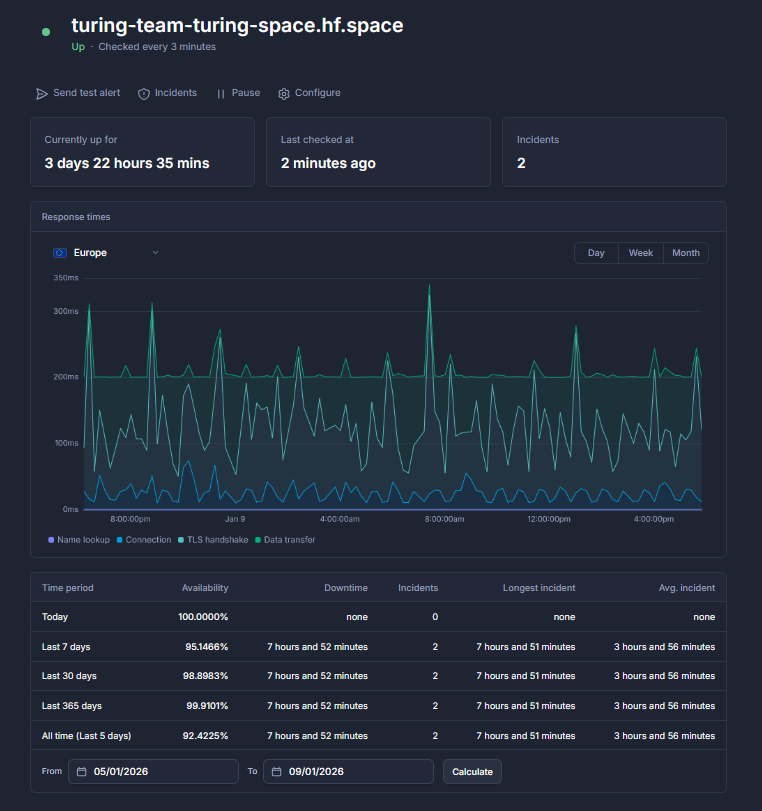
- Uptime Monitoring A monitor is configured to ping the Hugging Face Space URL.
Check Frequency: Every 3 minutes.
-
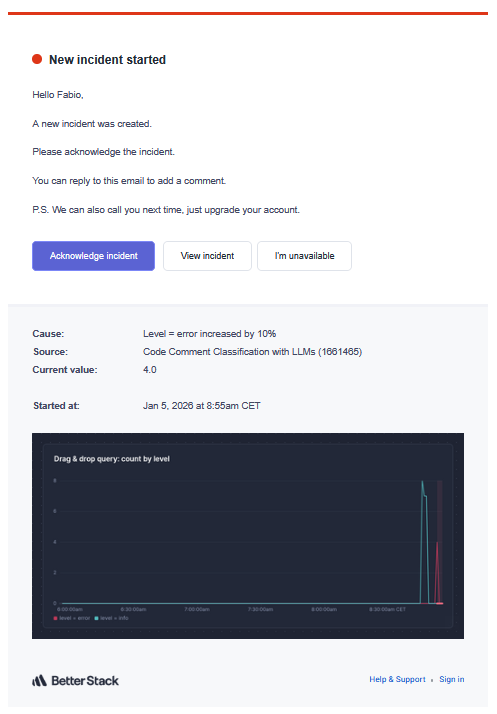
Incident Alerts Automated alerts are triggered when:
-
A log with level ERROR is detected in the stream.
-
The Uptime monitor detects the service is "Down".
Testing the Integration
To verify that logging is correctly configured and reaching the dashboard:
- Start the application.
- Trigger a test error log manually (or use a test script):