Locust Load Testing
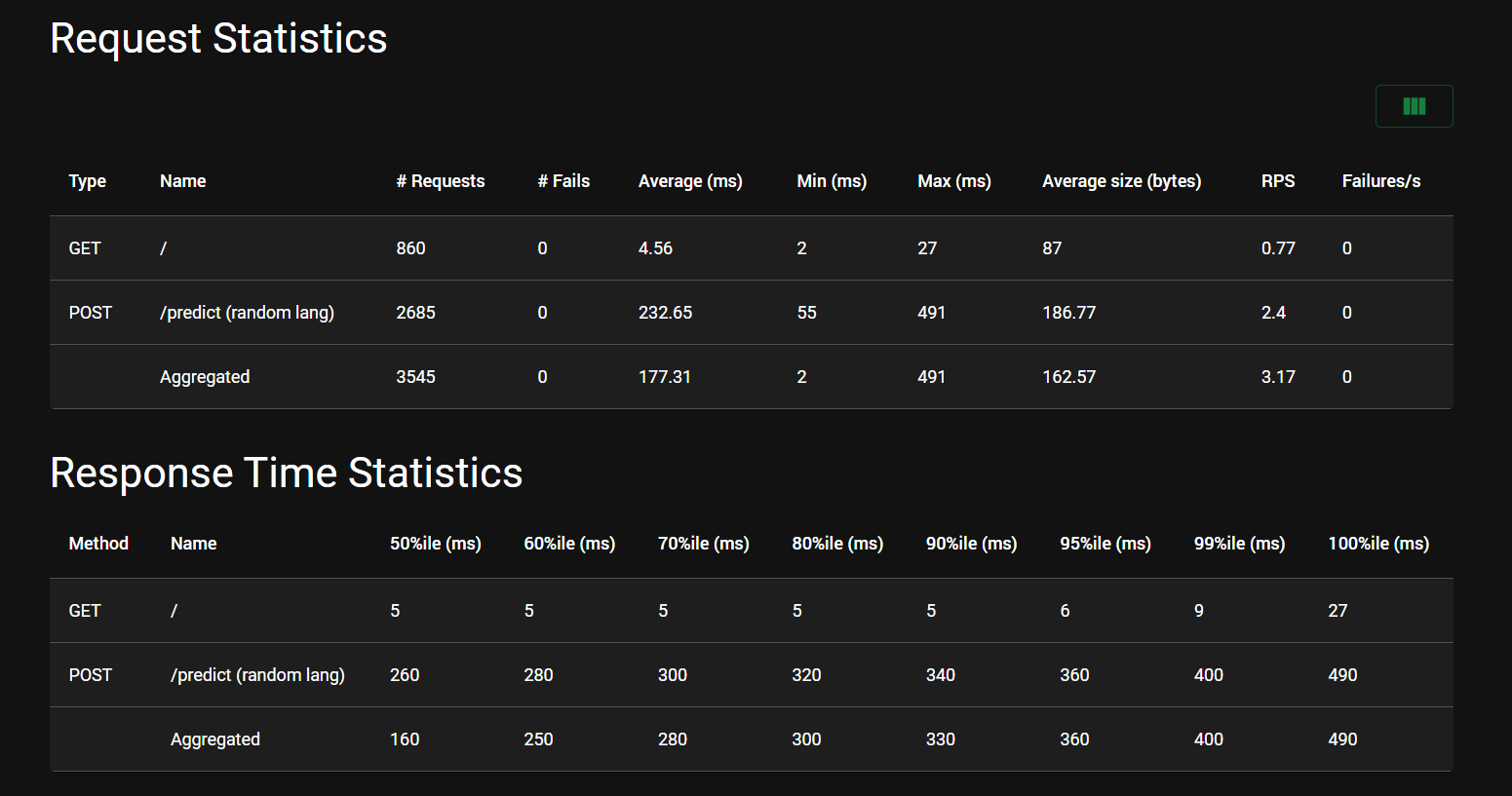
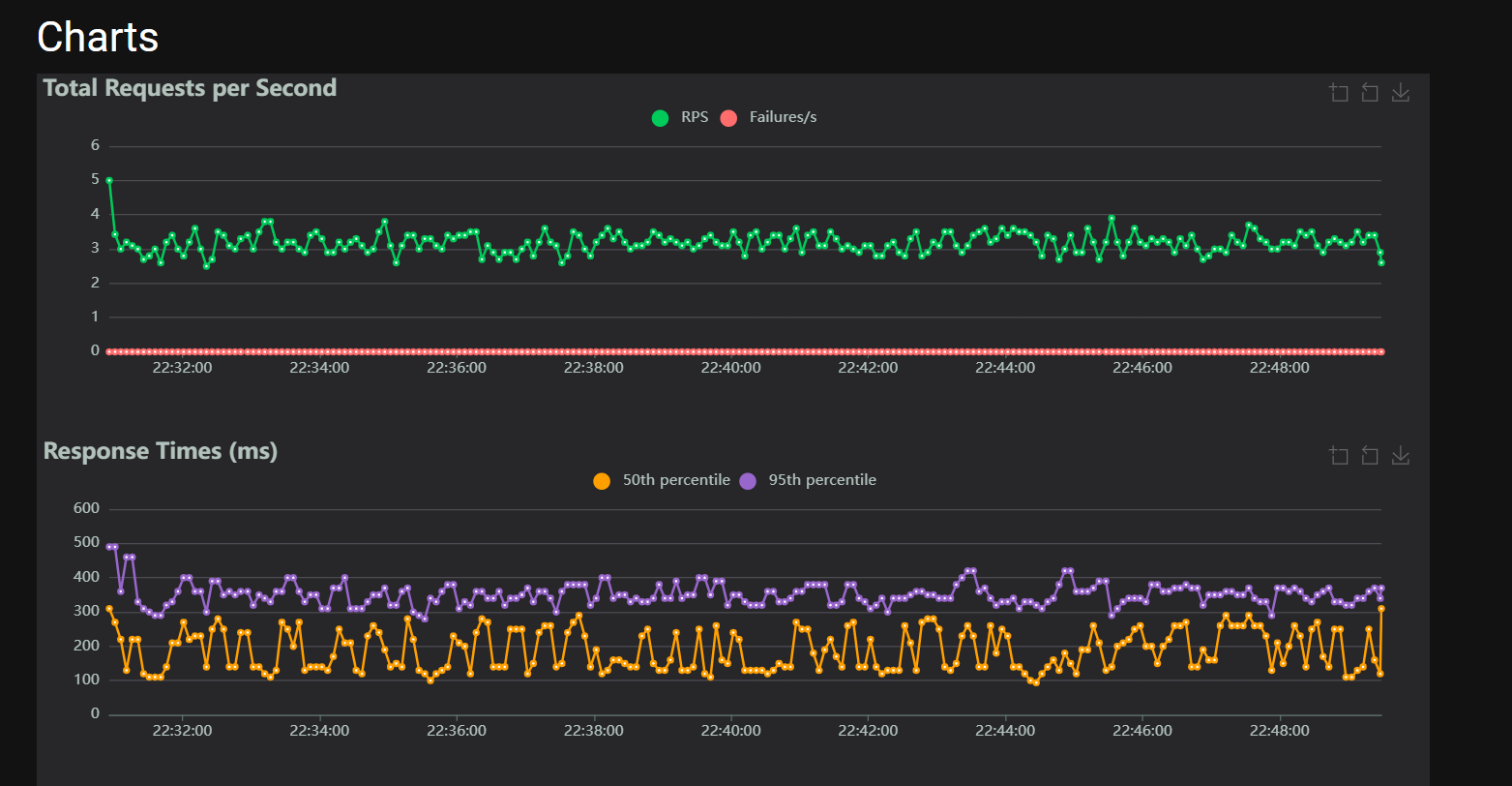
To ensure the API is robust and capable of handling concurrent requests, we implemented a load testing strategy using Locust. This allows us to simulate realistic user traffic patterns, identify bottlenecks, and verify the stability of the inference engine under stress.
Key Improvements & Rationale
During initial stress testing, we identified critical concurrency issues
To address this, we refactored the inference pipeline:
1. Pure PyTorch Inference: Removed dependencies on HuggingFace Trainer for prediction, switching to direct PyTorch execution.
2. Caching: Implemented ModelInference caching (self.loaded_models). Models are now loaded once per language and reused, rather than reloading from disk for every request.
3. Dynamic Language Switching: The tests are designed to randomly switch between languages (Python, Java, Pharo) to stress-test the memory management
The Locustfile
The test logic is defined in locustfile.py. It simulates a user who:
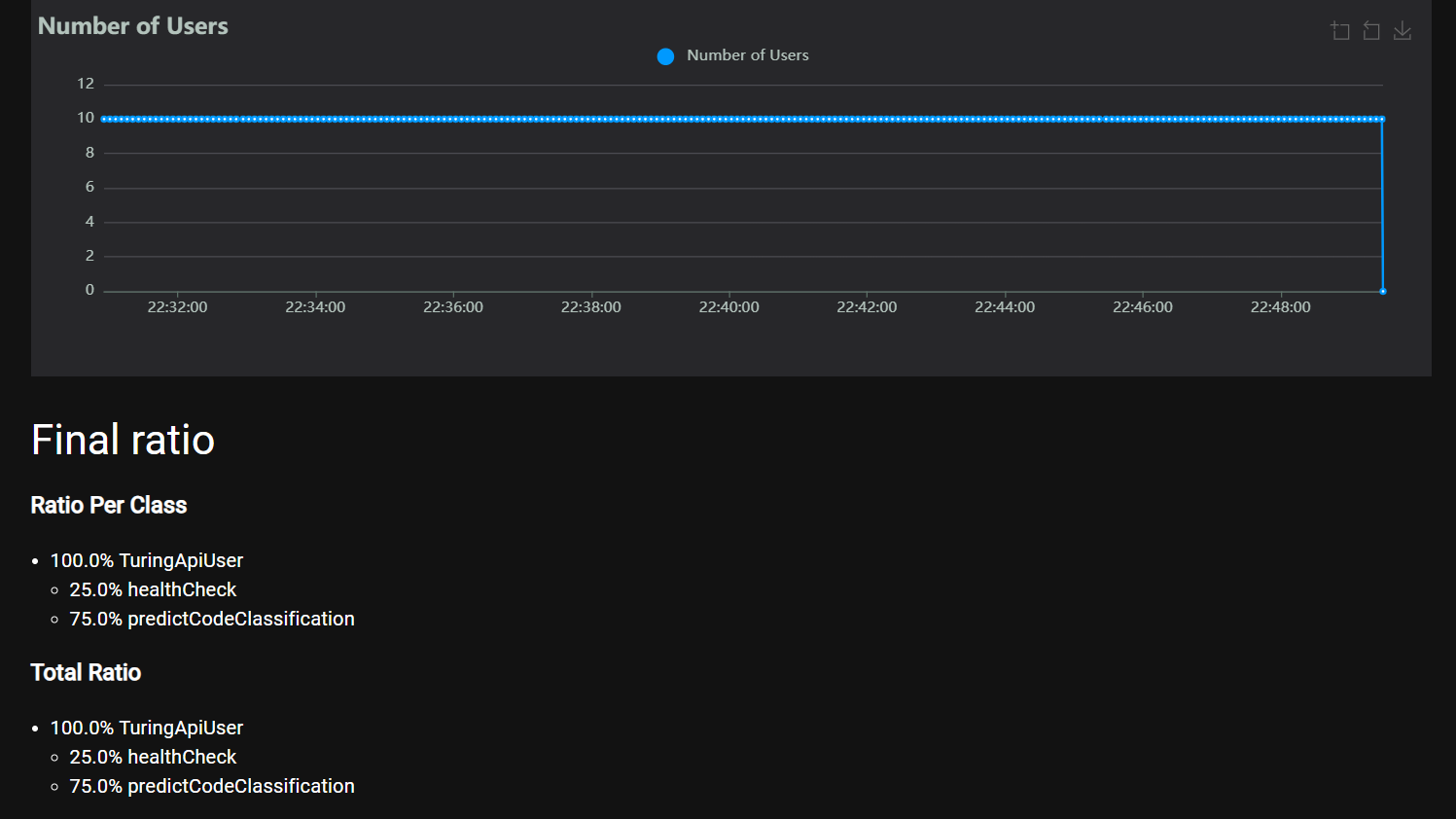
Selects a Language: Randomly picks a supported language (python, java, pharo).
Sends Payload: Sends a language-specific code snippet to the /predict endpoint.
How to Run the Load Tests
Running the tests requires two separate terminal windows.
Start the API
In the first terminal, launch the FastAPI application:
In the second terminal, navigate to the monitoring directory and start locust:Access the Dashboard
Open your browser and navigate to http://localhost:8089.
Set the Number of users (e.g., 50).
Set the Spawn rate (e.g., 5 users/second).
Click Start Swarming.
Outputs and Reports
Locust provides real-time statistics in its web interface.
Some reports are in the reports directory: Location: reports/monitoring/locust/